
The San Francisco Chronicle
Hearst Newspapers - LLCNews & Magazines
4.0720.00 Reviews
- Version
- 202608.28
- Installs
- 50.00K
- Age Rating
- Everyone
Screenshots
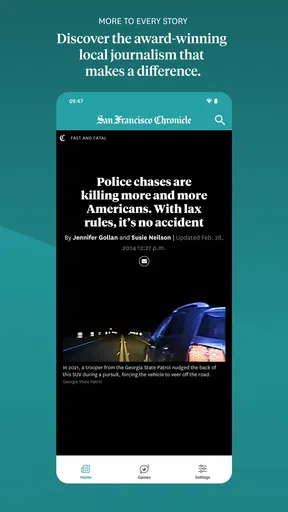
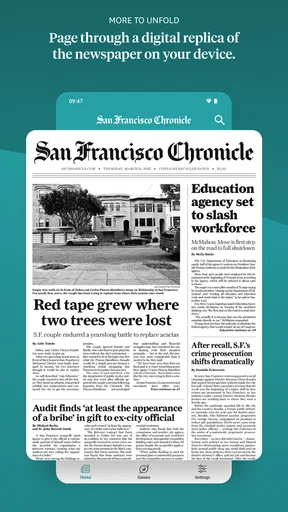
Our Review of The San Francisco Chronicle
 Analysis by Appyee
I usually reach for a local news app when I have a practical question, not just when I want to browse headlines: what is happening around the Bay Area, whether a developing story affects my plans, or which San Francisco sports result people will be discussing later. The San Francisco Chronicle is built for that kind of routine. It brings regional reporting together with subjects such as weather, alerts, puzzles, food, and newspaper reading, so I can start with the day’s news and follow my interests without treating every topic as a separate destination.
When a local news app earns a place on my phone
The best reason to consider this app is its focus. A general news aggregator can be useful for scanning national and international headlines, but local context is often scattered across many sources. The Chronicle app gives Bay Area readers a more direct route to regional coverage, with San Francisco sports and everyday local subjects alongside news. I find that focus useful when I want to understand what is happening close to home rather than simply collect headlines from everywhere.
That emphasis also makes it a less obvious fit for someone who wants a neutral, all-purpose news feed. If your main goal is to compare many outlets’ coverage of national stories, an aggregator or a collection of individual publications may suit you better. I would treat this as a place to follow the Chronicle’s reporting and local perspective, not as a substitute for every source I might want to consult.
Getting started and finding a useful routine
First things first, downloading and installing the The San Francisco Chronicle app is a breeze. Available on both Android and iOS, you can easily find it in the app store. Once installed, the setup is straightforward. There’s a quick sign-up process if you want to customize your news feed, but you can also dive right in without any fuss.
For a realistic daily routine, I’d open it over breakfast, scan the local coverage, and then check weather or alerts before deciding what deserves more attention. Later, I might return for a sports update or a food story rather than starting another search from scratch. This simple sequence is where a focused local app can save time: it creates a natural handoff from “what happened?” to “what might affect my day?” without requiring me to build a long list of bookmarks.
The practical tip is to be selective at the beginning. If you personalize what you follow, choose only the topics you genuinely expect to revisit. A crowded feed can recreate the same problem as an unfiltered aggregator, while a narrower selection makes it easier to notice the stories that matter to you. If you would rather explore first, starting without much customization is a reasonable way to see whether the Chronicle’s mix matches your interests.
Getting Started
I’d begin by deciding what I want the app to do in my day: keep me close to Bay Area news, help me check a local concern, or give me something lighter to read between updates. That starting point makes it easier to judge whether its mix is useful rather than simply busy. From there, I can build a small routine around the sections I actually return to.
User Interface and Experience
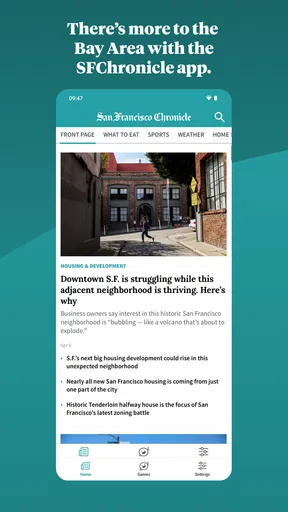
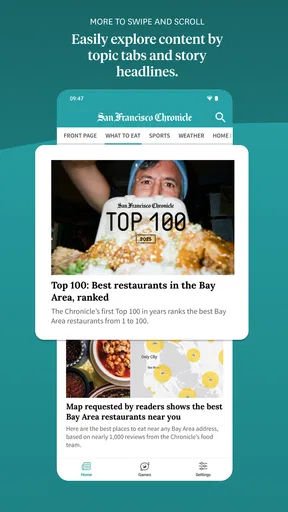
Now, let’s talk about the user interface. The app is designed with simplicity in mind, which is something I really appreciate. The layout is clean, and everything is just a tap away. Whether you’re looking for local news, opinion pieces, or sports updates, it’s all neatly organized. The navigation bar at the bottom makes switching between sections a piece of cake.
That layout matters most when I arrive with a specific purpose. If I’m checking a local story on a short break, I want to move from browsing to reading without getting lost in a maze of menus. If I have more time, moving between news and other sections gives me a way to follow a subject from different angles. I would still expect to spend longer when a story calls for context; convenience is not the same thing as a complete picture.
One feature that stands out is the seamless integration of multimedia content. Articles often come with high-quality images and videos that load effortlessly. It’s a visual treat and adds a lot of depth to the content. Plus, the text is clear and easy to read, even on smaller screens.
Images and video can make a report easier to understand, but they are not always the best choice for every moment. When I’m on a slow connection, trying to conserve attention, or reading in a setting where sound would be awkward, plain text is more practical. I’d use the visual presentation when it adds context and keep my expectations flexible when I just need the essential information quickly.
Features You’ll Love
One of the coolest features is the customizable news feed. You can tweak it to prioritize the topics you care about most. Whether it’s breaking news, tech updates, or cultural happenings, the app lets you choose your preferences. It’s like having your own personal news butler!
Personalization is most useful when it supports a deliberate reading habit rather than trying to predict everything I might like. For example, someone following local issues and San Francisco sports could make those interests easier to return to, while a reader who mainly wants food coverage can use the app as an occasional source of ideas. I would periodically review those choices as my interests change; otherwise, an old selection can make a feed feel less relevant than it should.
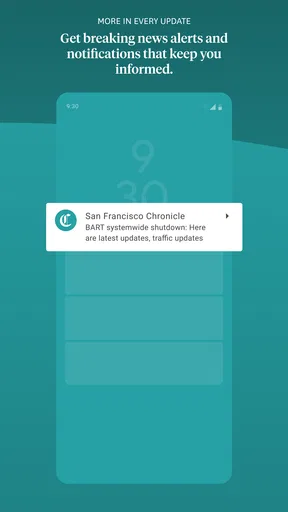
The app also offers notifications for breaking news, which is perfect if you want to stay informed without constantly checking your phone. And if you’re someone who loves to dig deeper, the app’s extensive archive section is a goldmine. You can access past articles and reports with just a few taps.
Notifications are a handoff from the app to the rest of the day: they can bring an important development to my attention, but they can also interrupt at the wrong time. I’d enable them only if timely local updates are genuinely useful to me, then use the app itself when I’m ready to read beyond the alert. For background research, the archive offers a different workflow: search for earlier coverage when a current story needs history, rather than relying on a fresh headline to explain how an issue developed.
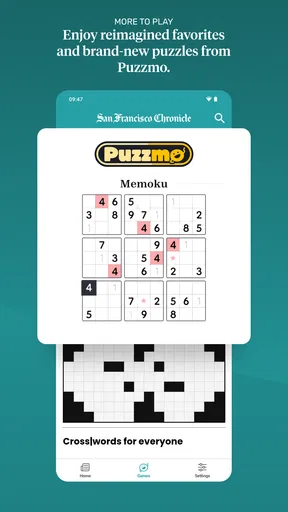
The mix of practical and leisurely sections is another point in its favor. Weather and alerts have a clear everyday purpose, while puzzles and food coverage offer a lighter reason to return when I’m not looking for breaking news. That range is helpful if I want one local publication to serve more than one mood, though a reader who wants only a highly specialized weather service or puzzle app may prefer a dedicated tool for those tasks.
How it fits beside other news choices
Compared with a broad news aggregator, the Chronicle app’s advantage is its local center of gravity: I can make Bay Area reporting the starting point instead of filtering through a large stream of national headlines. Compared with reading a newspaper through a browser, an app can make repeat visits and switching among sections feel more direct. The trade-off is that a single publisher’s perspective is not the same as a cross-outlet comparison. For a consequential issue, I would use the Chronicle to follow local reporting and consult other credible sources when I want a wider range of viewpoints.
The app is most compelling for people who live in the Bay Area, have family or work ties there, or simply want a regular connection to San Francisco. Someone outside the region may still enjoy its reporting, sports, or food coverage, but the local emphasis will be less useful if their daily questions concern another place. Likewise, readers who prefer only short headline summaries may find a full publication experience more than they need.
Performance and Reliability
Performance-wise, the app runs smoothly. I’ve been using it for a few weeks now, and I haven’t encountered any crashes or slowdowns. Updates are regular, ensuring that any bugs are quickly ironed out. It’s reliable, which is exactly what you want from a news app.
The offline mode is another handy feature. You can download articles to read later, which is great for those times when you’re on the go and don’t have a stable internet connection. It’s all about accessibility, and the app delivers on that front.
A useful way to make offline reading count is to prepare before leaving a dependable connection: save articles I already expect to finish, then treat the saved material as a reading queue rather than assuming every new development will be available without a connection. That distinction matters for commuters or travelers. Offline access can make planned reading more convenient, but a live alert or a newly published update belongs to a connected workflow, so I would not rely on saved stories as a real-time news feed.
For anyone deciding whether the app is worth trying, the basic cost is approachable: it is free to install, with in-app purchases listed from $5.99 to $14.99 per item. I would check the purchase options in the app before building a reading routine around paid material, especially if I only want occasional local updates. The app is rated for Everyone, and it is published by Hearst Newspapers - LLC. Its current version is 202602.31, with Android support beginning at OS 9, so an older device may not be suitable.
Its audience is established but not enormous by the standards of broad social platforms: it has more than 50,000 installs, an average rating of 4.1 from around 1,600 ratings, and about 680 written reviews. I take that as a useful snapshot of reader response, not a guarantee that every person will like the experience. My decision would still come down to whether I want this publisher’s Bay Area focus and whether the available purchase model suits how often I read.
Where the reading flow can break
The main limitation is not that the app tries to cover several topics; it is that no single publication can be the right source for every reader or every question. A Bay Area focus is an advantage when local context matters, but a drawback if I want comprehensive coverage of places far from San Francisco. Personalizing a feed can reduce distractions, but it also means I should avoid mistaking a tailored selection for a complete view of the news.
There is also a difference between getting an alert and understanding a story. A notification is useful as a prompt to check in, but it cannot replace the background, nuance, and follow-up that come from reading the full report. If I am making a decision based on a developing event, I would open the coverage, look for earlier reporting in the archive when relevant, and verify important details across sources rather than stopping at the alert.
That makes the app a weaker choice for someone who dislikes notifications, does not want a publication-specific point of view, or rarely reads local news. Those readers may be happier with a broad aggregator, a different local outlet, or a specialist service that focuses only on one need. I would also avoid downloading it just for a single occasional puzzle or weather check if I already use tools that do those jobs well.
Why You Should Download It
Alright, let’s wrap this up. If you’re someone who loves staying updated with what’s happening in the Bay Area, then the The San Francisco Chronicle app is a no-brainer. It’s user-friendly, packed with features, and reliable. Plus, the ability to personalize your news feed means you’re always getting content that matters to you.
So, whether you’re a news junkie or just want to stay informed about your favorite city, give this app a shot. It’s a solid addition to your digital toolkit, and I’m confident you’ll find it as indispensable as I do. Happy reading!
My recommendation after weighing the trade-offs
I’d recommend it most readily to a Bay Area reader who wants local reporting to sit beside practical checks like weather and alerts, with sports, food, and puzzles available for different moments in the day. It suits a routine built around dipping in, following a story when it matters, and returning later to catch up. The archive and offline reading are especially useful when I have a reason to revisit coverage or know I’ll be away from a reliable connection.
I would skip it if my priority were a broad, multi-publisher overview, if I wanted news only from another region, or if I expected a notification to replace reading the underlying story. For those needs, a general aggregator or another local publication may be a better starting point. For me, the Chronicle app makes sense when San Francisco and the Bay Area are the point—not just one more topic in an endless feed.
Verdict
Strengths of The San Francisco Chronicle
- Comprehensive local and national news coverage.
- User-friendly interface with easy navigation.
- Real-time updates on breaking news.
- Customizable notifications for favorite topics.
- Access to exclusive articles and features.
Limitations of The San Francisco Chronicle
- Requires subscription for full access.
- Occasional ads can be intrusive.
- Limited offline reading options.
- Some features require stable internet connection.
- App size may be large for some devices.
Other Releases by Hearst Newspapers - LLC
View All
Houston Chronicle
News & Magazines4.3

Austin American-Statesman
News & Magazines3.1

CT Insider
News & Magazines4.0

San Antonio Express-News
News & Magazines4.1
Similar Picks in This Category
View All
Google News - Daily Headlines
Google LLC4.0

X
X Corp.4.8

Flipboard:Your Social Magazine
Flipboard3.4

Opera News: breaking & local
Opera4.5

Hindi News by Dainik Bhaskar
Dainik Bhaskar Group4.0

Way2News Daily News App
Way2News ( Formerly Way2SMS )4.6
Frequently Asked Questions
What features does The San Francisco Chronicle app offer?
The San Francisco Chronicle app provides users with a comprehensive digital experience, offering breaking news alerts, in-depth articles, and multimedia content such as videos and photo galleries. It also includes personalized news feeds, offline reading capabilities, and interactive maps to enhance your reading experience. Subscribers gain access to exclusive content and daily editions.
Is a subscription required to access all content on The San Francisco Chronicle app?
While the app offers some free content, a subscription is necessary to access the full range of articles and exclusive features. Subscribers enjoy unlimited access to in-depth stories, analyses, and premium content that isn't available to non-subscribers. Different subscription plans are available to suit varying preferences and budgets.
How user-friendly is The San Francisco Chronicle app for reading on-the-go?
The app is designed with a user-friendly interface, making it easy to navigate through various sections. It supports offline reading, allowing users to download articles for access without an internet connection. Additionally, the app provides customizable notifications, ensuring users stay updated with the latest news pertinent to their interests even while on-the-go.
Can I customize my news feed on The San Francisco Chronicle app?
Yes, the app allows users to personalize their news feed according to their interests. By selecting preferred topics and categories, users can tailor the content they see, ensuring they receive updates on the most relevant news. This customization feature enhances the user experience by delivering content that matches individual interests.
What are the pros and cons of using The San Francisco Chronicle app?
Pros include access to real-time news updates, a wide range of articles, offline reading, and a customizable interface. Cons might include the need for a subscription to access full content and occasional ads for non-subscribers. Overall, the app offers a rich media experience for users interested in staying informed about San Francisco and beyond.
